






-(1).webp)


Table of contents:
Key takeaways:
- Webinar software lets you host live events, manage registrations, engage attendees, and record sessions for reuse.
- For all-in-one webinar-to-content workflows, try Riverside with high-quality recording, built-in editing, and repurposing tools.
- For large-scale or enterprise webinars, try BigMarker, Sequel.io, or Webex with support for very large audiences.
- For beginners or simple webinars, familiar platforms like Zoom or WebinarNinja are easier to set up, but offer fewer features.
A smoother live experience starts with your webinar software. Many of the best webinar tools out there make organizing your content and guests faster and easier.
Here is my list of best webinar software for 2026. You’ll find the right fit no matter if you’re hosting a live, pre-recorded or on-demand session.
18 best webinar software platforms
Looking for the best software to help you get your next webinar up and running? Here are our top picks.
Riverside: Best overall webinar software
Price: Starts at $79/month.
Max attendees: 10,000.
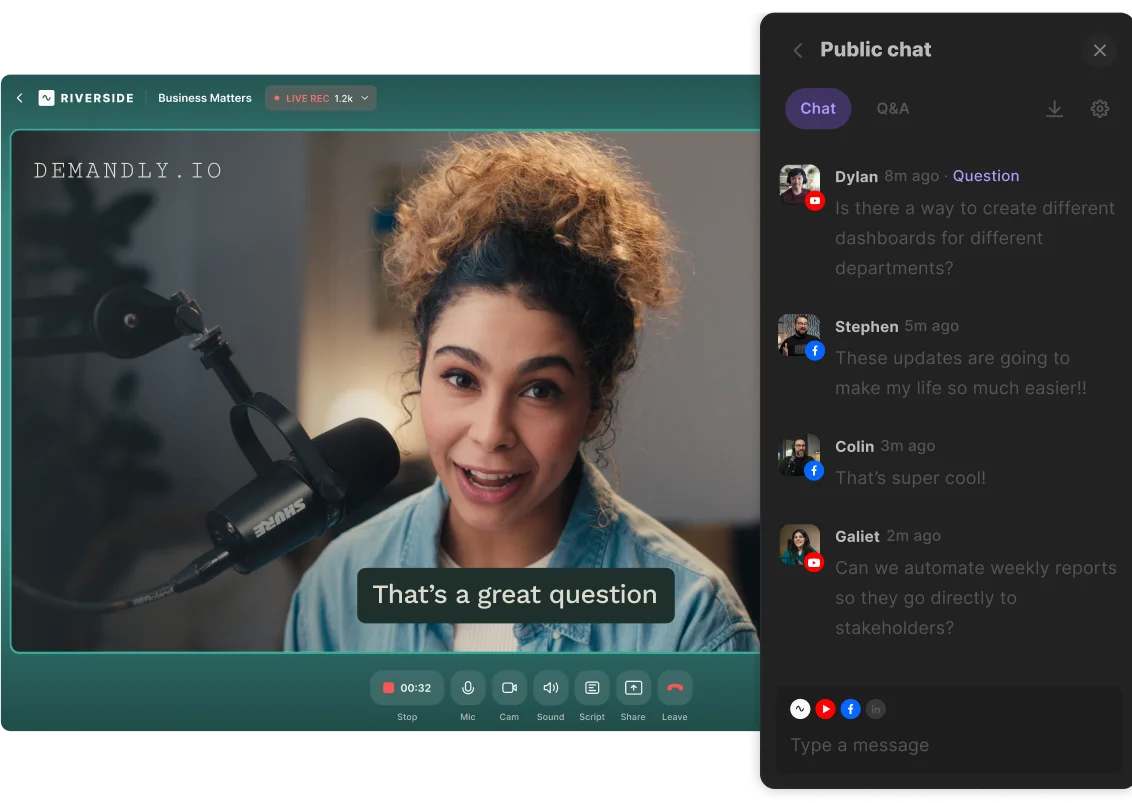
If you want to host high-quality webinars and repurpose them on one platform, Riverside is for you.
Host webinars with up to 10 guest speakers and up to 10,000 attendees. With custom registration forms synced to HubSpot or Salesforce, you can easily track leads. Built-in analytics also give you visibility into audience engagement, watch time, and attendance.
To keep your webinar interesting, host a Q&A, run a poll, and interact with your audience in the omnichat. There’s even the option to invite audience members to call in live!
And, if you don’t want to present live, pre-recorded webinars are also supported. All the while, you can stay on brand with lower thirds, your own backgrounds and logo, and a variety of custom overlays.
Everything records in up to 4K video and 48kHz resolution, ready to get turned into evergreen content. And all it takes is minutes.
Turn your webinar into social clips, an on-demand video, or a blog just by prompting Co-Creator, your new chat-based editor. For more hands-on control, the video editor has tools to trim video, clean audio, and style your video.
Key features
- Host up to 100 live audience members in your studio, or up to 10,000 audience members with a Business plan.
- Stream your webinar directly to LinkedIn, YouTube, Facebook, X, Twitch, or any custom RTMP.
- Record in up to 4K video and 48kHz audio, with local recording to protect quality even if your internet drops.
- Track attendees and create a custom landing page with HubSpot and Salesforce for seamless follow-up.
- Easy-to-use platform. Guests and participants can join with a link, no downloads or signups required.
- Schedule your webinar and send invites to participants (Riverside handles the reminders!).
- Upload your company logo and choose a matching background for on-point webinar branding.
- Engage participants with live chat, Q&A, and call-ins.
- Use the text-based editor and AI-powered Co-Creator to quickly repurpose your recording or polish it for on-demand viewing.
- Turn your webinar into promotional short clips for social with Magic Clips.
- Get AI-generated accurate transcripts with time-stamped chapters, show notes, and key takeaways.
User review: “The live stream quality and stability are top-tier. I've hosted live conferences with hundreds of attendees and never experienced a dropped feed. The interface lets me monitor all speakers, trigger recordings, and handle technical issues discreetly using the producer controls.” — Viktoriao S., Virtual Event Manager
Zoom Webinars: Best for large-scale, live webinars
Price: Starting at $83/month.
Max attendees: 10,000+.
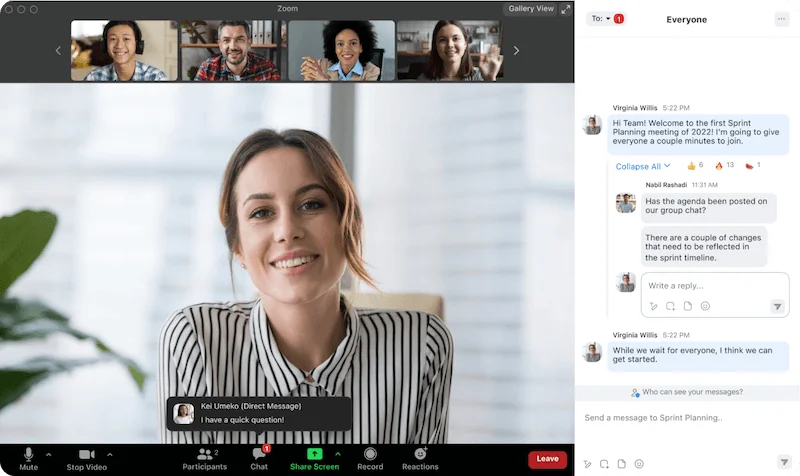
Zoom is all about familiarity, making Zoom Webinars a solid choice for beginners. It’s easy to use, widely recognized, and works well for simple, no-frills webinars. Attendees are already comfortable with the platform, so there’s little friction getting people into sessions..
Be warned, though, this familiarity is a double-edged sword.
Because everyone uses Zoom for daily meetings, your exciting event might feel like just another forgettable work meeting in a generic window. Branding and customization are limited, and video quality isn’t as sharp as platforms designed for content creation. Plus, most advanced webinar features require paid add-ons.
If you need a reliable tool for straightforward webinars, Zoom is a good fit. But there are better options than Zoom for branded, polished webinars with repurposing tools.
Key features
- Customize registration fields to collect attendee details before they join.
- Use private and public chat, Q&As, polls, and breakout rooms to boost interaction.
- Record sessions to the cloud with automatic transcripts and make them available on demand.
- Manage roles and participation with host controls, such as muting, attendee promotion, waiting rooms, and security options.
- Charge a registration fee through PayPal to support paid webinars.
- Set up email reminders and keep your audience in the loop with calendar integration.
User review: "What I like best about Zoom Events & Webinars is the professional-level control it gives organizers while still being user-friendly for attendees. One downside is that the backend interface can feel a bit clunky and overwhelming at times, especially when managing complex, multi-session events” — Tyler S., Marketing and Communications Specialist
WebinarNinja: Best for your first webinar
Price: Starting at $29/month.
Max attendees: 1,000+.
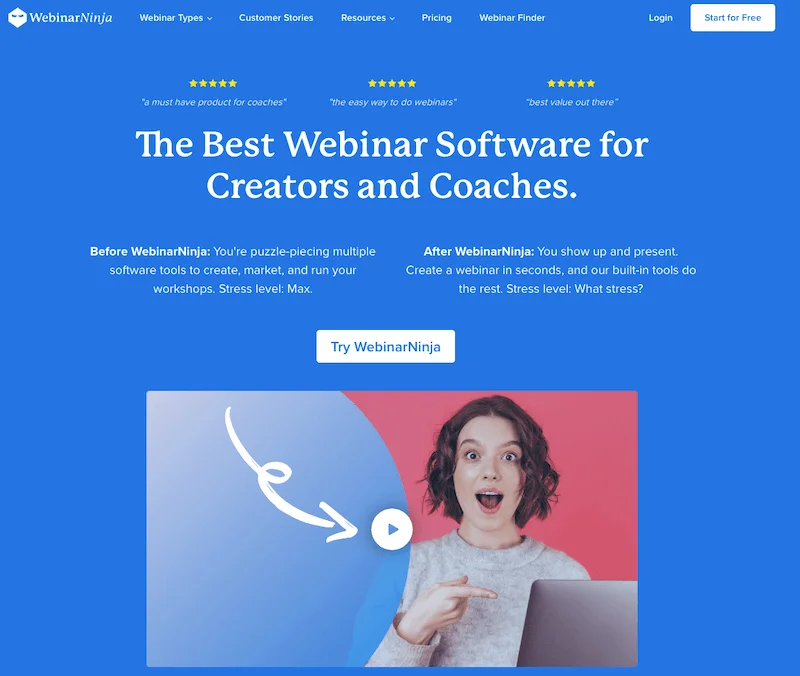
WebinarNinja is built for simplicity, making it an ideal choice when you need to get a webinar live fast. With pre-built templates and a guided step-by-step setup, you can launch in minutes, without digging through complex menus or settings.It includes tools for registration, email automation, interactive features like polls and Q&A, and analytics. The platform also supports live and pre-recorded sessions as well as automated replays.
What I like best about WebinarNinja is its pricing structure. It charges per attendee, which can make it really affordable for new or smaller webinars. Plus, unlike other providers, you get access to everything on one plan, with no higher-level features reserved for more expensive tiers. The biggest drawback, however, is quality, which is capped at 720p for both streaming and recording.
Key features
- Create registration and thank-you pages using built-in customizable templates.
- Upload your slides directly to the platform and control everything from one place.
- Automate confirmations, reminders, and follow-up emails to keep attendees informed.
- Monitor registration, attendance, engagement, and conversions through analytics and reporting.
- Enable paid webinars and timed offers to support monetization.
- Integrate with email marketing tools, CRMs, and payment providers to streamline workflows
User review: “I love the simplicity of setting up a webinar — it only takes a few minutes. The built-in email automation, Q&A, and polls make it easy to engage my audience without needing extra tools.” — Daniel N., Marketing Consultant
Demio: Best for marketers focused on conversions
Price: Starts at $45/month.
Max attendees: 3,000.
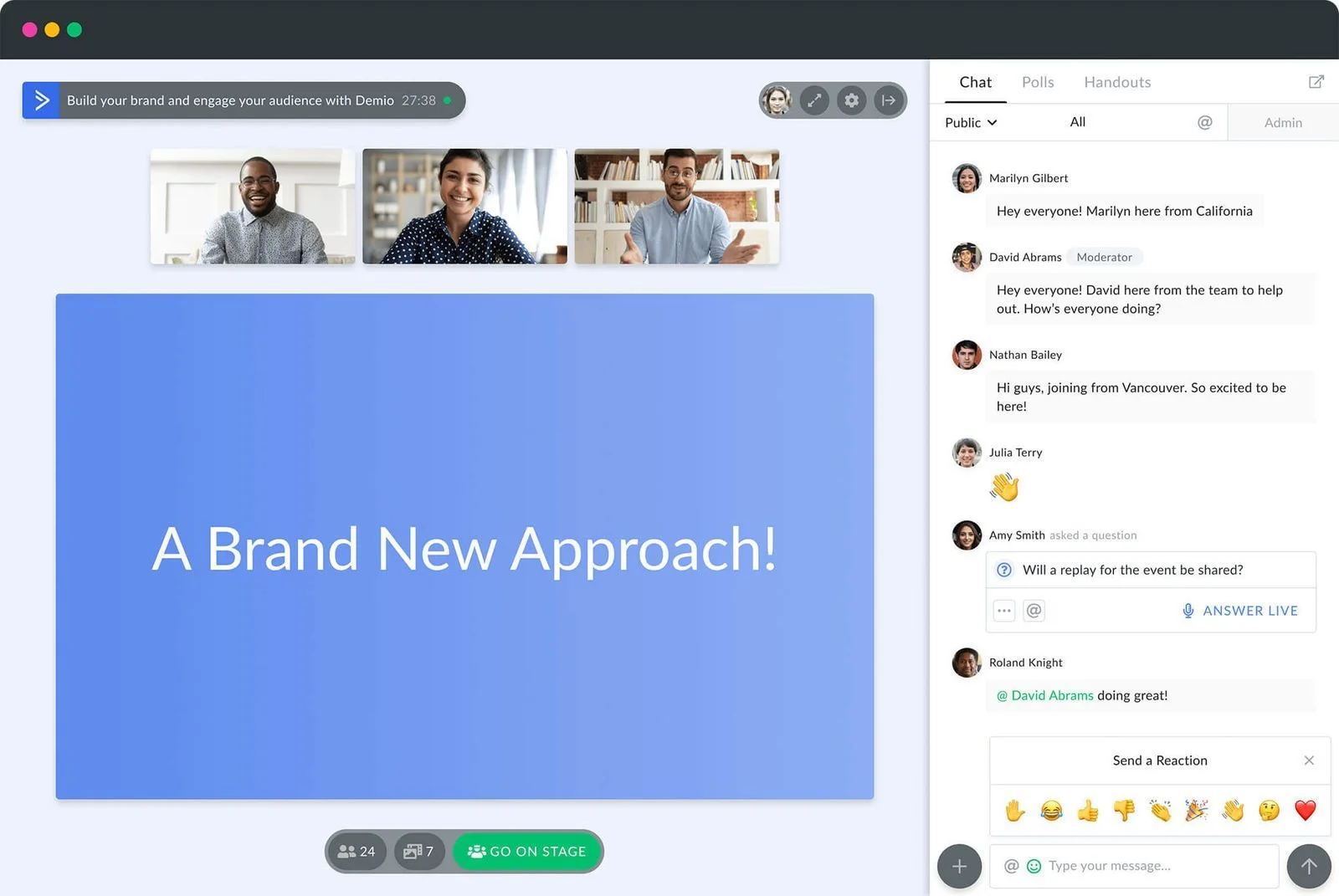
This platform is all about ease of use. Demio features a sleek, user-friendly interface with a slight learning curve. Built for business owners and individuals, the simple UX keeps the focus on the speaker. Its minimal design reduces distractions for attendees.
Demio offers essential analytics to track audience engagement, conversions, and event ROI. This can help marketers better qualify leads and even measure the success of your webinar promotion.
Its live customer support is a standout, with response times under 5 minutes. Just keep in mind that customization and advanced features are limited, and it can get very pricey with higher numbers of attendees.
Key features
- Automation features to host pre-recorded and on-demand webinars.
- User-friendly interface with a quick learning curve and seamless navigation.
- Provide attendees with interactive options, including chat, Q&A, polls, handouts, and clickable “Featured Actions.”
- Apply branding to registration pages and webinar rooms, with optional custom domains for a consistent brand presence.
- Analytics provides you with registration, attendance, and engagement metrics to assess and improve marketing performance.
- Connect with email marketing platforms, CRMs, payment systems, and other third-party tools through integrations.
User review: “The platform itself is excellent for hosting a webinar. You won't have the potential connectivity issues you'd have with other meeting platforms, the interactive elements keep attendees engaged, and you get really good post-webinar analytics. But the HubSpot integration is cumbersome. You have to set it up for every webinar.” — Jim H., CMO
Livestorm: Best for security and privacy
Price: Starts at $105/month.
Max attendees: 3,000.
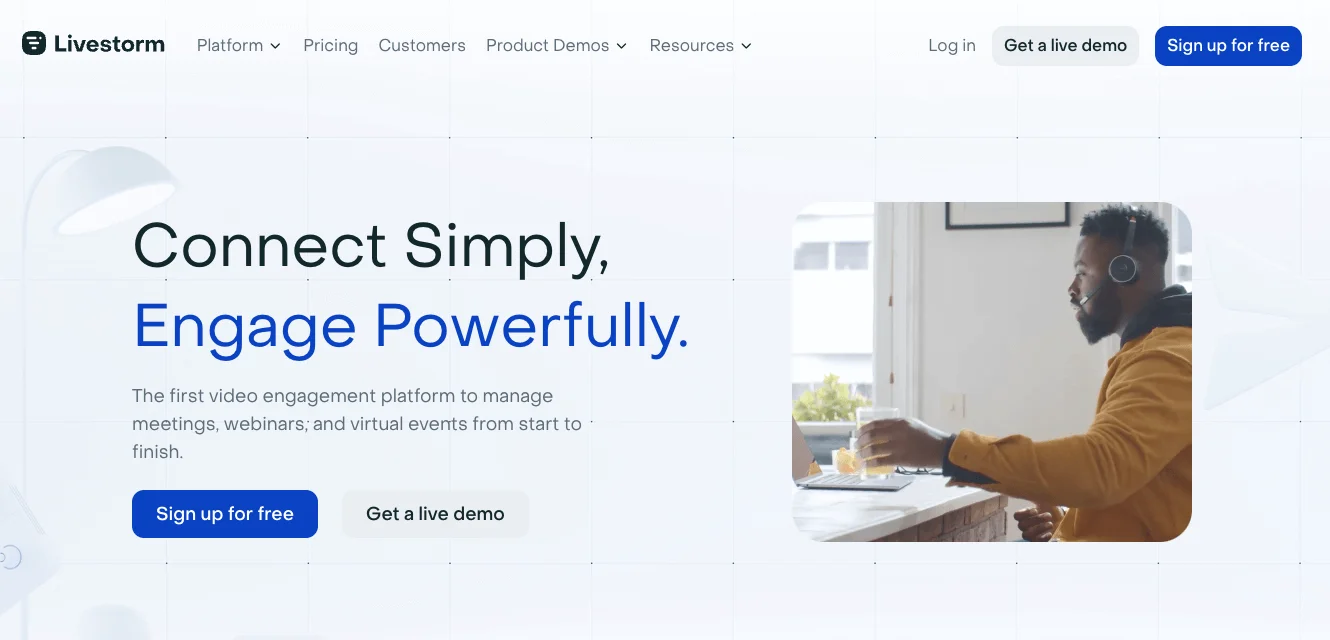
Livestorm is a webinar platform optimized for product demos, online courses, and employee onboarding. Its biggest strength is its seamless pre-recorded webinars powered by robust automation tools.
As an online platform, it provides a frictionless experience for both the host and the attendees.
Marketers concerned about data security and privacy will find Livestorm’s measures reliable. The platform uses strict data protection protocols, is ISO 27001 certified, and is GDPR compliant.
Livestorm offers a free plan, but it’s extremely limited. Free plan events last no more than 20 minutes with a maximum of 30 attendees. Price is based on yearly active contacts, so it ramps up quickly as your attendee count grows. And, together with the lack of extensive customization, it might be a letdown for brands seeking to scale up their operations.
Key features
- Automate scheduling and delivery of pre-recorded webinars.
- Create customizable registration pages, automated email reminders, and embeddable signup widgets.
- Use engagement tools such as chat, Q&A, polls, hand raising, and media sharing during sessions.
- Stream webinars to platforms like LinkedIn, YouTube, and X through multistreaming options.
- Apply branding to registration pages, webinar rooms, and email communications.
- Audience analytics to track engagement and performance.
User review: “I got my first event organized in less than 15 minutes, complete with a registration page list, automatic reminder emails, and even my company logo. I was glad that I didn't have to install anything. The price could be a problem because even if it works great, the bill feels heavy when you start to handle a lot of guests.” — Pratik P., Project Manager
GoTo Webinar: Best for educational webinars

Price: Starts at $62/month.
Max attendees: Unlimited on custom plans.
This webinar hosting platform is ideal for training events and corporate communications. GoTo Webinar caters to educational webinars with virtual classrooms and on-demand templates. It also integrates with learning management systems for easy training delivery, and you can offer certificates for paid sessions.
Its “recorded events” option lets you schedule a pre-recorded webinar that still supports live chat and Q&A, making it great for repeatable events. I also love the feature that allows you to draw right on the screen!
Editing capabilities are limited to a trimming tool, though. If you want to run a polished pre-recorded event, you need to export it to an external tool first.
GoTo webinar integrates with the Go to the ecosystem with GoTo Resolve, GoTo Training, and GoTo Connect. This makes it easier to manage IT support, training sessions, and team communication all in one place.
As a stand-alone tool, but, it may feel a bit lackluster.
Key features
- Support live events for potentially unlimited attendees (with the ability to join by browser on supported devices).
- Build custom registration pages and forms with branding options for landing pages and email communications.
- Use engagement tools, such as polls, surveys, chat, Q&A, hand raising, and multi-presenter support.
- Track registration sources, attendance, and engagement with detailed analytics and reporting.
- Integrate with CRMs, email marketing systems, and automation tools.
- Generate automatic transcripts on recorded webinars.
- Multi-presenter allows you to run your events with up to 6 co-hosts.
- Event planning support offers guidance to maximize your webinar’s success.
User review: “Very easy to join and navigate. Even as a first-time user, I joined the webinar without any setup headaches. As a guest speaker, I couldn’t personalize my display name or background as much as I wanted.” — Erika R., Mortgage Loan Officer
EasyWebinar: Best for evergreen and live streaming webinars
Price: Starts at $36/month.
Max attendees: 50,000
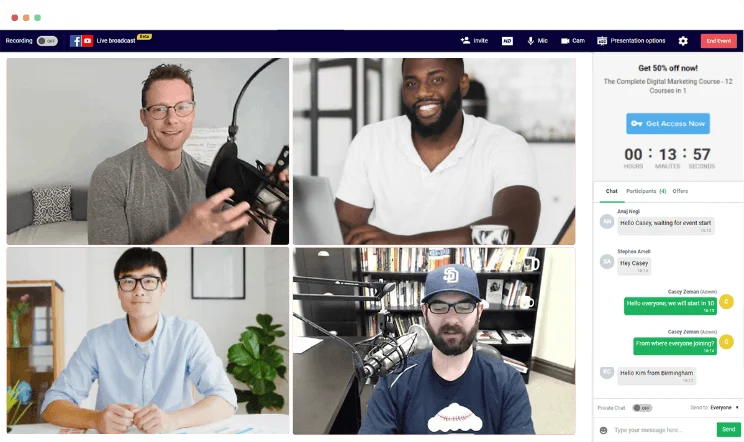
EasyWebinar works well with all kinds of webinars, from evergreen to pre-recorded and live. Its biggest strengths are its high-quality audio capabilities, which isn’t a guarantee on many other platforms. It alsostreams pre-recorded sessions with the look, feel, and experience of a live one.
As the name implies, EasyWebinar is surprisingly easy to use. It’s suitable for webinar beginners and those wanting to integrate webinars in their marketing funnel. What I like best is that there’s a lot you can customize in these sessions, including in-event CTAs.
The interface feels somewhat outdated,though, making navigation unnecessarily clunky at times. There is also no editing or post-production tools.
Key features
- Host live webinars with HD streaming, co-hosts/guest presenters, screen sharing, chat, polls, and Q&A.
- Run automated or ‘simulated live’ webinars by scheduling pre-recorded videos that allow for live chat and timed interactions.
- Use engagement and conversion tools, such as timed CTAs, scarcity timers, polls, and attendee behavior tracking.
- Create registration pages, embed sign-up forms, send reminders, and integrate with CRMs and email automation platforms for marketing workflows.
- Stream to platforms like YouTube or LinkedIn, or connect via RTMP for broader reach.
- Smooth recording and screen sharing with no delays or lag.
- Built-in sales tools including live show offers live and integration with Stripe and PayPal.
User review: “I like the ease of use and setup. Pretty much once I have run one webinar, I can clone and set up multiple in a breeze. We have run close to 30 since we started running it this new year and it has been a game changer for our business. My only dislike is that there can be some bugs at times that can be frustrating.” — Darrin B., Marketing Director
BigMarker: Best for large-scale, branded events
.webp)
Price: By request.
Max attendees: 500,000.
BigMarker is built for organizations that need to host massive virtual summits or large-scale branded live events. It can support extremely large audiences of up to 500,000 attendees and multiple host licenses.
You also get advanced marketing features like automated funnels and deep CRM integrations. This means you can tie it directly to lead-gen and customer-engagement workflows.
BigMarker is also very customizable. Yes, it has templates, but it also provides complete design control. This includes access to HTML, CSS, and JavaScript to create full-featured microsites for your content.
However, be prepared to spend some time learning the ropes. The interface is packed with features and can be overwhelming for a quick, one-off session.
Key features
- Engagement tools, including live chat, up-voted Q&A, polls, quizzes, invite attendees on screen, sharing handouts, and connect with social platforms.
- Integrate with CRMs like HubSpot, Salesforce, Pardot, Marketo, and others.
- Embed webinars into websites or apps.
- Support large-scale events with enterprise hosting options for audiences up to 500,000 attendees.
- Lots of automation options to host A-la-carte virtual events, simulive webinars, and even webinar series.
- Extensive white-labeling customization to remove BigMarker branding on higher plans.
User review: “I like that we can track everything our customers are doing within the webinar, and that once we create the webinar if we have it setup properly our team can run the webinars and we don't have to be there. I think the hardest part is all of the settings. ” — Cristina S., Customer Success Manager
ClickMeeting: Best for training,and onboarding
Price: Starts at $32/month.
Max attendees: 10,000.
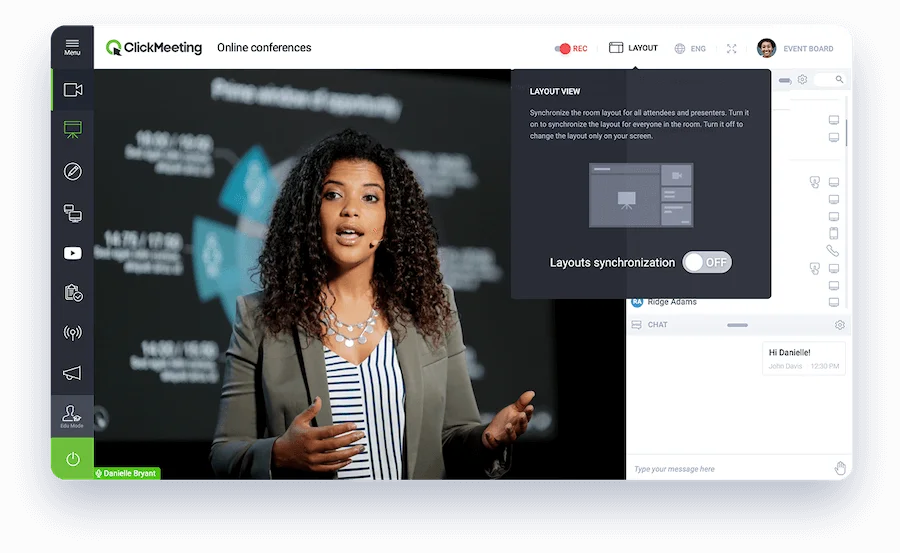
ClickMeeting is the best webinar software for businesses new to webinars, and those looking to scale.
It’s suitable for both small and large events with up to 10,000 attendees, and offers separate plans available for live and automated webinars. There are also built-in monetization features, making it a great platform for professional training or courses.
The platform strikes a balance between affordability and functionality, even though Webinar funnel features are less developed on lower-priced tiers. The overall experience and interface is suitable for beginners. But it still accommodates all its advanced features.
The biggest limit with ClickMeeting is its lack of flexibility. A specialized plan is great if you focus solely on live or automated webinars. But if you want to try out both, well, you're out of luck.
Key features
- Sell access to webinars using built-in payment options, including virtual tickets and paid recordings.
- Use interactive tools, such as polls, Q&A, chat, screen sharing, breakout rooms, whiteboards, and handouts for interactive sessions.
- Customize registration pages, automate reminders and follow-ups, and review analytics on attendee behavior and engagement.
- Host large webinars or virtual events with branding options and enterprise-level configurations for high-capacity audiences.
- Can livestream to up to 8 platforms, including Facebook Live and YouTube, but behind a paywall.
- Mobile-friendly with easy access for hosts and participants on any device.
User review: “ClickMeeting is very intuitive and reliable. It allows us to organize professional webinars and online events with ease. Some design and branding options could be more flexible, but overall it works very well.” — Program Inkubacyjny F., CEO
Butter: best for interactive workshops and engaging webinars

Price: Starts at $24/month.
Max attendees: 200.
Butter is all about participation. Sessions are highly interactive with tools like whiteboards, breakout rooms, and polls. Plus, everything seamlessly integrates with external platforms like Miro, Google Docs, and YouTube.
Plan your workshops ahead of time to prepare well in advance with flashcards and presentations.
Butter is certainly not the most advanced webinar platform for marketing and analytics. It’s also less ideal for larger meetings with a maximum audience cap of just 200 attendees. Still, it’s a breath of fresh air in the rather stale world of webinars.
Key features
- Breakout rooms, flashcards and other interactive and collaborative tools built in.
- Seamless integrations with Miro, Google Docs, Mural, and YouTube.
- Playful, intuitive interface with an engagement-first design.
- Sessions include automatic notes and recaps powered by ChatGPT.
- Audience tools including polls, reactions, annotations, and chat to keep attendees involved.
- Mobile-friendly for a smooth experience for both hosts and attendees.
Webex: Best for enterprise organizations
Price: Starts at $56.25/month.
Max attendees: 100,000.
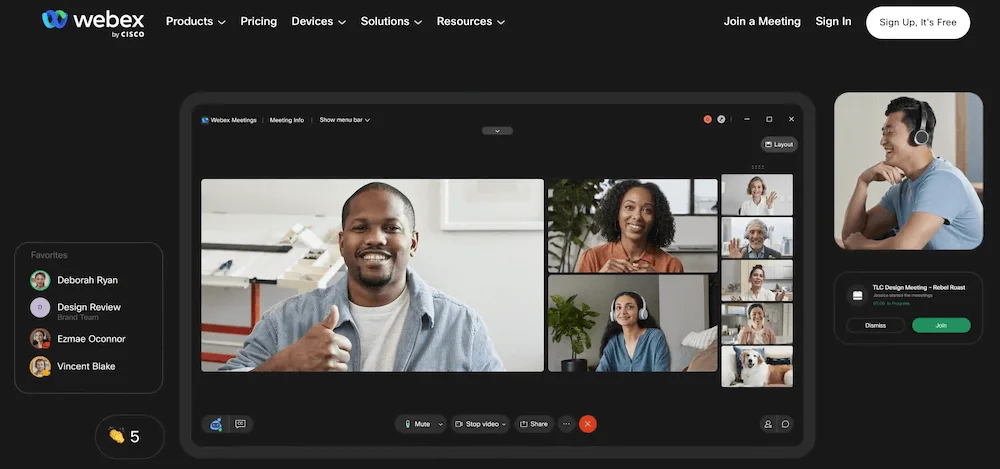
Webex Webinars is a professional software designed by Cisco with corporate events and high-attendance webinars in mind.
It features enterprise-level security and is scalable enough to support up to 100,000 attendees. It supports live, simulive, and on-demand streaming, and offers excellent options for custom branding.
Webex offers advanced AI features like voice enhancement and real-time translation, but it’s pricey and has a steep learning curve. Unless you need to host large live webinars with thousands of attendees, Webex is probably overkill.
Key features
- Built-in encryption and enterprise-level security features.
- Track registration, attendance, and engagement with analytics and integrate with CRMs and marketing automation tools.
- Provide accessibility and international support with live translation and closed captioning in 100+ languages.
- AI improves your audio quality in real-time.
- Run practice sessions and apply moderation controls to manage speakers and audience participation smoothly.
- Customize your layout with branding and design options.
User review: “What I appreciate most about Webex is its consistently reliable video and audio quality, which holds up well even in lengthy meetings. Scheduling, joining, and sharing screens are all straightforward, and the chat and recording features help keep collaboration both smooth and well-organized. One thing I don't like about Webex is that it tends to use a lot of system resources, which can cause it to lag, especially when several people are sharing their screens or using video at the same time.” — Ruvimbo J., Associate
GetResponse: Best for smaller teams focused on lead gen
.webp)
Price: Webinars are included in Creator plan at $69/month.
Max attendees: 100 or 500 with paid add-on.
GetResponse is an all-in-one digital marketing platform that includes built-in webinars. This can be an advantage for those who already use GetResponse, as it’s integrated into this marketing stack.
The platform supports live and on-demand webinars, with built-in registration, email reminders, and engagement tools. You’ll only get up to 500 attendees here, though, so this is definitely for smaller businesses. If you’re not using the full GetResponse stack and only want the webinar tool, though, it might provide more tools than you need.
Key features
- Host unlimited webinars with customizable registration pages and landing pages.
- Convert live sessions into on-demand webinars for ongoing access.
- Use built-in marketing tools, including email invites, reminders, and Facebook Pixel integration for retargeting.
- Run and manage webinars from a mobile device using the dedicated app.
Adobe Connect: Best for AI features
Price: Starts at $190/year.
Max attendees: 1,500.
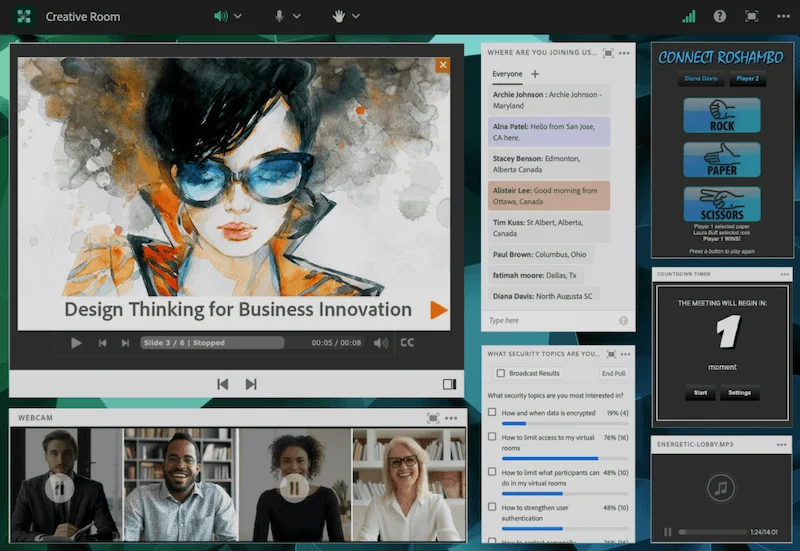
Adobe Connect is a customizable platform for virtual meetings, training, and webinars. It supports live, on-demand, and simulated live formats, with lots of options for customization and engagement.
You can arrange “pods” such as slides, video, chat, polls, and file downloads to design a fully customized webinar layout. Then, change it up on the fly so that engagement tools appear when and where they’re needed.
There’s also an AI assistant that helps you set up features and workflows.. It can even automatically create blog content based on your webinars.
Adobe Connect it’s great for training events where reusability and structured presenter workflows matter. But like many other Adobe products, it’s packed with features, so learning to use it will take some time.
Key features
- Build customizable registration pages and forms to manage event sign-ups.
- Deliver pre-recorded content as simulated live webinars while still enabling chat, polls, and other interactions.
- Reuse virtual rooms with preset layouts, including breakout rooms, to streamline presenter setup.
- View real-time audience engagement indicators to adjust presentation delivery.
- Support accessibility and multi-language experiences with features like captions and multiple audio tracks.
WebinarGeek: Best for small- to mid-sized businesses
Price: Starts at $851/month.
Max attendees: 5,000.
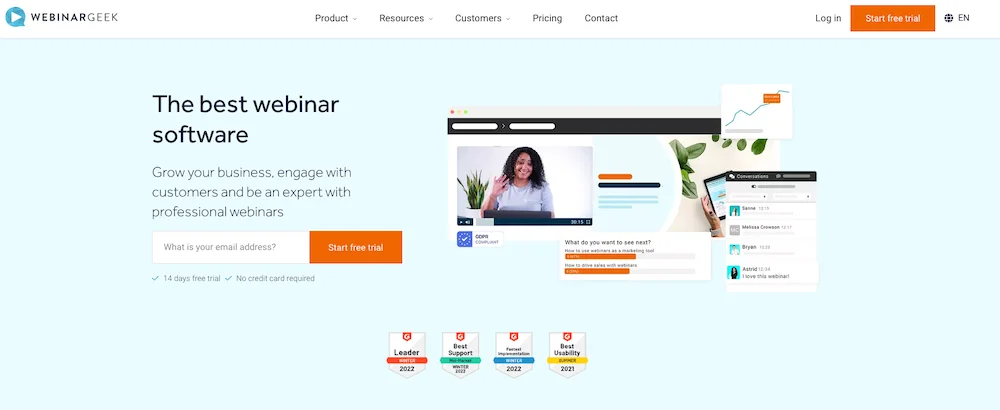
WebinarGeek is a webinar platform aimed primarily at small- to medium-sized businesses and creators. It supports live, automated, and evergreen webinars, with built-in registration and marketing-focused features. And, tts focus is on ease of use and professional branding. You can set up webinars quickly with simplified drag-and-drop tools for customizing content and registration pages.
For the price, WebinarGeek also has some cool higher-end features. Use AI features, such as automated captions, late-joiner summaries, and performance insights to improve engagement and results. Plus, you’ve got live captions and the ability to ‘localize’ your webinar and deliver it in different languages.
Key features
- Manage audience outreach using registration, confirmation, and countdown pages, along with automated email reminders and follow-ups.
- Review attendee data and collect feedback through built-in evaluation forms.
- Can monetize your webinars via Stripe or Mollie.
- Integration with Google Ads, ActiveCampaign, MailChimp, and many other marketing tools.
- Very fast human customer support service, with response times under 3 minutes.
User review: “Overall, I found that the site is clear, and all features function smoothly. However, there are a large number of options available. For new users I think, this abundance can feel overwhelming.” — Kwan Y., Professional Freelancer
ON24: Best for automated B2B marketing

Price: By request.
Max attendees: 5,000.
ON24 is a high-end webinar and virtual event platform designed primarily for B2B marketing, enterprise webinars, and large-scale digital events. It positions itself as an engagement platform that integrates with marketing and sales systems, plus uses AI-driven analytics.
What makes ON24 stand out is the level of customization it offers. Yes, you can customize design and landing pages, but you can also customize CTAs for each attendee. Automation helps streamline the onboarding and follow-up processes, with functions like automated emails and customizable feedback forms. The platform also has some great AI features to help you repurpose your content and create nurture pages to convert no-shows.
Despite its impressive marketing capabilities, ON24’s interface can feel overwhelming. And, you should pay notice to hidden costs. Many advanced features are not in base packages, and many of the add-ons do not come cheap.
Key features
- Offer live, simulive, and on-demand webinar formats.
- Use engagement options, such as Q&A, polls, surveys, chat, downloadable resources, breakout rooms, interactive CTAs, and customizable viewer consoles.
- Build content hubs to organize webinars, videos, and resources for ongoing audience engagement.
- Access advanced analytics and AI tools to track viewer behavior, generate transcripts and clips, and integrate insights with CRMs and marketing automation.
- Support large enterprise needs with high-capacity events, multilingual features, accessibility options, branding control, and tech-stack integrations.
User review: "I've been using the ON24 Webinar Platform for several months now for hosting client webinars and internal trainings. Overall, it's a solid platform with a professional interface and a great set of features for both presenters and attendees. But there’s a steep learning curve, especially when setting up events and configuring all the widgets.” — Emmanuel A., Advisor
Goldcast: Best for creating a webinar content engine

Price: Prices start at $10,000/year.
Max attendees: 10,000.
Goldcast is custom-built for B2B. It’s a pretty slick interface, with lots of higher-level features, like automatic captions and overlays, polls, video Q&As, and GIFs.
It has good-looking and easy-to-use brandable templates, and the platform makes it easy to automate pre- and post-webinar sequences. It also has AI-driven repurposing tools to help you create social posts, blogs, and engaging on-demand videos. You can follow the whole lead generation funnel with conversion tracking and other content lifecycle features to help extend ROI. Beware though, as setup and integrations can be quite complex compared to other platforms in this list.
Key features
- Build branded registration and landing pages without coding using customizable templates.
- Host live webinars or schedule pre-recorded sessions to run as simulive events.
- Track attendee behavior and connect webinar data to CRMs and marketing automation platforms for targeted follow-up.
- Set registration and attendee limits to manage event capacity.
- Agentic editor with pre-set post-production templates and edits.
User review: “The built-in studio and AI-powered content repurposing tools save us hours of post-event editing and marketing work. The UI is clean, and the ability to brand everything makes the experience feel high-end.” — Harshad P., Software Engineer
Airmeet: best for networking-driven webinars and virtual events

Price: Prices start at $833/month.
Max attendees: 10,000.
Another forward-thinking platform around interactivity is Airmeet.
Airmeet is a webinar and virtual event platform designed for networking-heavy experiences. It’s a great choice for when you want your audience to actually meet each other.
Think of Airmeet as LinkedIn meets webinar software, with features like virtual tables, speed networking, and interactive lounges. Its goal is to recreate the networking and interaction typically lost in virtual events.
The platform also supports sponsorship opportunities, making it ideal for monetized events.
The biggest cons of Airmeet? It’s neither cheap nor simple to use. or example 1080p streaming and recording comes as a separate add-on rather than a standard feature. Plus, it’s surprisingly limited when it comes to customization.
Key features
- Networking features include virtual tables and social lounges for easy mingling.
- Audience engagement: Interactive Q&A and polls.
- Built-in sponsorship and revenue options for easy monetization.
- Gamification options with custom scoring systems and leaderboards.
- Detailed attendees profiles with social links, custom interests, and more.
- Customizable 3D booths with unique layouts.
Wistia: Best for video-heavy content strategies

Price: Starts at $319/month.
Max attendees: 2,500.
Wistia is primarily a video marketing and hosting platform that features built-in webinar functionality. It lets you manage video content and host live or on-demand webinars from the same environment. This means you can treat your webinar as part of your broader video strategy (not just a standalone event).
It’s one of the few platforms that has reasonably good editing tools. This makes it well-suited for repurposing webinars into evergreen content and other assets.
This platform is quite expensive, though. Custom branding, marketing integrations, and automation are limited to higher-tier plans, and you’ve got a relatively low number of max attendees for the price.
Key features
- Automatically save live streams as videos for editing and on-demand playback.
- Use interactive video features, like chapters, time-synced CTAs, and email capture to support marketing goals.
- Access detailed analytics, including viewer heatmaps, engagement graphs, and conversion tracking.
- Integrate with marketing tools and CRMs to sync contacts, track activity, and automate follow-up workflows.
- Customize the player with brand colors, thumbnails, and controls to deliver a consistent visual experience.
User review: “I have been using Wistia for about 3 to 4 years, primarily for hosting educational videos on technology platforms with my company. I appreciate its easier integration and ad-free experience compared to YouTube. But I would prefer a cheaper pricing model for Wistia. Additionally, I wish Wistia offered more robust AI translation, transcription, and dubbing features similar to YouTube to enhance its utility.” — Joshua A., Verified G2 reviewer.
How to choose the best webinar software
Not sure how to choose from the 18 options above? Here are some tips on what to consider when you’re narrowing down your choices.
Ease of use
The more features a webinar software has, the steeper its learning curve will likely be (and the more it will cost). Here’s an important rule of thumb: Don’t get more features than you’re sure you’ll use. It’s also a good idea to try any software you’re considering first through a free trial or free plan.
Audience capacity and scalability
The maximum audience size a webinar platform supports is a major consideration, and the range is absolutely huge! The key is to choose a software that is within what you’ll need, but where you’ll also have room to grow. Also, look at breakpoints where additional attendees will bump you into a more expensive plan.
Branding and customization
Most webinar software offers some level of branding and customization. The exact amount of customization you need depends on your use case.
Also, consider who will do the work of building landing pages and running webinars, and how technical they are. Some webinar softwares offer simple templates you can customize, while others require more technical expertise.
Engagement tools
If you run live events, consider how you’ll engage your audience. Most webinar software offers different options, including live chat, Q&A, polls, breakout rooms, and CTAs. Not every webinar needs every feature, so let your goals determine what you need.
If your goal is:
- Lead generation: Prioritize polls, CTAs/offers, chat/Q&A, analytics and tracking, and mobile access.
- Training or education: Prioritize interactive whiteboards, screen sharing, quizzes/surveys, breakout rooms, and replay interaction.
- Large-audience, brand events: Prioritize attendee participation features (hand-raise, stage guests), performance/stability, decent chat/Q&A, and branding.
- Evergreen/automated webinars: Prioritize on-demand interaction, CTA integration, analytics, and replay features.
Integrations
When you’re choosing webinar software, evaluate the integrations it supports. Integrations help you streamline workflows, automate marketing, and connect the webinar tool with your broader tech stack.
Good webinar software should, at a minimum, integrate with CRM systems and marketing automation/email platforms. Some people may also need integrations with payment systems and collaboration or productivity tools. Overall, consider what you’ll use and start there.
Analytics
Analytics provide visibility into how your webinars perform and can help you improve your marketing over time. When you’re comparing platforms, look for how they track data and what they collect.
If your webinars are for training or education, you’ll be more interested in behavior metrics. If your webinars are for lead gen or sales, you’ll be more interested in conversion tracking.
Video quality
Not all webinar platforms stream or record in high quality. For streaming, you’ll want a platform that supports 1080p. For recording, look for up to 4K.
Local recording on separate tracks will provide the best audio/video quality and will make editing easier, ensuring that you get the highest quality results. Riverside records in up to 4K video and 48 kHz audio and provides tools for easy multi-track editing, too!
Editing tools
Built-in editing tools allow you to polish your video to show it on demand or repurpose it into other content. You can edit out bloopers, add an intro and outro, clean up audio, and add captions for a more professional video.
Many platforms offer only basic editing tools. If you need a full editing and repurposing suite, pick Riverside so you won’t need to export your file to a separate software.
Content repurposing
Look out for features that automate repurposing for you. Some features you can find are:
- AI clip creators or tools that convert video to blogs or social media assets.
- AI editing agents, like Co-creator, which turn your webinar into blogs, newsletters, or social posts just by prompting them.
- Automatic transcripts, which you can use to make summaries, notes, or to edit into blogs.
Read more: Check our guide for more tips on how to repurpose your video content.
Security and privacy
Your specific industry and geographic region influence how crucial security and privacy are for your brand. At a minimum, your chosen platform should encrypt streams and recordings, offer role-based permissions, and provide tools, like passwords, waiting rooms, and host-only screen sharing, to prevent unauthorized access.
It may also be important to understand how the platform handles attendee information, including data storage, consent options, and the ability to delete or export personal data. For organizations with compliance needs, check whether the platform supports requirements like GDPR, SOC 2, or ISO 27001 and allows data to be hosted in appropriate regions.
FAQs about webinar software
Can I host a webinar for free?
Yes, platforms like Riverside, Livestorm, or EasyWebinar offer free plans with limited attendee capacity and features. But, free plans often come with restrictions. For example you might have time limits, watermarks, or reduced recording and streaming quality.
It’s also possible to host a webinar on virtual conference software, like Google Meet or Zoom. Just note that you’ll be more limited in terms of features and flexibility.
You can check our list of the best free webinar software.
Can I host a webinar on Google Meet?
Yes, you can host a webinar on Google Meet, but it isn’t built specifically as a webinar platform, so there are trade-offs.
You can host up to 1,000 participants (depending on your plan), share slides/video, and use Q&A, polls, and the hand-raise feature for engagement. You can even record and save your webinar (again, depending on your plan.) But, you won’t get registration pages, branding, and analytics if you host your webinar on Google Meet.
Can I host a webinar on Microsoft Teams?
Yes, you can host a webinar on Microsoft Teams, especially if you’re using Microsoft 365 Business or Enterprise plans. Teams has specific webinar functionality to support more formal, large-audience events.
With teams, you can live stream to up to 10,000 viewers, engage them with Q&As, polls, and chats, and get an automatic recording and transcript. Where Teams is more limited is in branding options and production capabilities—there’s no local multi-track recording or studio-style layouts here.
Do people make money from webinars?
Yes, they do. There are a few ways to monetize a webinar. These include:
- Hosting a paid webinar: You can sell tickets for a live event or show on-demand content as pay-per-view.
- Driving sales/leads: You can sell subscriptions, courses, or digital/physical products as part of the webinar or follow-up.
- Sponsorship or brand partnerships: You can sell sponsored presentation slots or branded giveaways as part of your webinar.
- Affiliate revenue: You can promote partner products in the webinar or through follow-ups to earn a commission.
What is the difference between a webinar and a virtual event?
A webinar is a single online session focused on a specific topic. It may include presentations, training, or discussions.
A virtual event is the equivalent of an in-person conference but with a global reach. It may include multiple sessions that span several days and usually offers networking opportunities through interactive elements. For example, this could include breakout rooms and virtual booths.
While both webinars and virtual events tend to be less engaging than in-person events, modern platforms support lots of features to keep your audience’s attention up.
What are the upcoming webinar platforms to watch in 2026?
The most promising webinar platforms worth keeping an eye on are the ones that are really bringing something new on the table.
Riverside is leading the charge with AI-first workflows. It goes beyond just hosting videos with its all-in-one recording, editing, and repurposing platform. All in studio quality, and within minutes instead of hours with chat-based editing.
Butter is a true innovator in the webinar genre that is redesigning the concept of “interactivity.” It’s the perfect choice when you want attendees actively participating rather than just watching.
Airmeet doubles down on personal interactions and networking. With features such as social lounges, virtual tables and sponsor zones, it does everything to make attendees feel like they’re in a real-life conference.
What webinar platforms are best for small businesses?
Small businesses benefit more from affordable, easy-to-use platforms and offer plans that scale well with smaller audiences. Platforms like Riverside, Demio, and ClickMeeting offer essential webinar features without the complexity or high costs of enterprise solutions.




.webp)
-Event.png)
.webp)


