




Table of contents:
Key takeaways:
- In double-ender recording, each participant records their own audio and video locally on their device, so quality does not depend on internet speed or connection.
- With a hardware setup, each person records independently using an external recorder, mobile device, or computer, then sends their files to the host to sync in post-production.
- With remote recording software like Riverside, local recording happens automatically for everyone on the call, no extra steps for guests, and files are backed up to the cloud in real time.
Tired of recording an interview with a remote guest and finding out that your lousy internet connection destroyed your recordings? Double-ender recording solves this because everything is recorded directly on your device instead of relying on the internet.
In this article, we’ll explain what double-ender recording is, how it works, and every step you need to record podcasts with guests from different locations.
What is a double-ender recording?
A double-ender is a remote recording solution that involves both the host and the remote guest (or two co-hosts) recording audio (and video) locally on each participant’s end, rather than over the internet. After the session is done, the two separate audio tracks can be stitched together in post-production.
While you could record Zoom or Skype calls, these come with several limitations. As they record a single track over the internet, you are at the mercy of your WiFi connection. This could lead to patchy audio and drop-outs, lags, and poorer quality sound due to the audio compression.
The Advantages of double-ender recording
1. Studio quality audio & video
By going double-ender, you can create studio-quality remote recordings. As your media is being recorded locally, it’s completely independent of internet quality. Even if you experience lags or glitches in real-time, they won’t be present on your audio or video files at the end. This means it can sound like you’re in the same room as your guest, even if you’re two continents apart.
2. Uncompressed files
With uncompressed audio, your sound should be lossless, creating an immersive and high-quality experience for your listener.
3. Extra security/backups
Additionally, double-enders provide an extra layer of security, as your podcast episode won’t be lost if your computer crashes during your recording sessions.
Double-ender hardware solutions

One way to record a double-ender podcast is for both parties to use their hardware to record. For example, you and your guest could set up a camera or high-quality smartphone to record high-quality remote video and use an external, handheld recorder for your audio.
Already have hardware? You can use our mic test and webcam test to check the quality of the hardware you currently have.
Are you looking for a new setup? We’re here to guide you with a few alternatives:
External recorder
If you choose a small and portable setup with high-quality in-built microphones, your setup will be as simple as hitting record and starting your remote interview on your computer. The Zoom H2N is a good option for beginners and more advanced podcasters alike. Several portable recorders like the Zoom H5 are also compatible with external mics and include phantom power.
Mobile device + external mic
If you don’t have an external recorder, most newer iOS or Android devices offer professional-quality recordings by attaching an external microphone. You can use OTG cables to connect your current USB microphone or invest in a mic, like the Rode Smartlav+, which comes ready to use with your phone.
There are some disadvantages, though, as you’ll have to make sure you have plenty of storage space on your phone.
Desktop PC or laptop
Lastly, you could record locally to your computer’s hard drive, but it’ll take a bit more technical savvy as you have to route your computer audio to two pieces of software simultaneously.
For this, you'll need a virtual audio mixer like Voicemeeter on a PC or Soundflower for Mac. Then, you route both Zoom and the recording software of your choice (Audacity, Reaper, Audition, etc.) to record from the same microphone channel in the virtual mixing software. This sends the audio to both the Zoom call and the local software for recording. It's tricky to get used to, but the results are outstanding.
This alternative is challenging to set up and troubleshoot. Here are the main disadvantages:
- You’ll have to confront the same issues in terms of memory and processing as you would with a smartphone.
- You’re using up resources for Zoom and your local recorder.
- If you accidentally use the wrong settings, you could end up with very disappointing results.
- If your computer crashes or runs out of battery, you could potentially lose both recordings.
- You need every single participant to send the local recordings over to the host, which usually consist of very large files.
How To record remote podcasts using double ender hardware
If you choose to go this route, here’s an outline of the steps that you and any other participant should follow:
Step 1: Do a few test recordings with your recorder, whether it has an in-built mic or you’ve connected it to an external one. Try different distances and if your mic offers various settings, figure out what works best.
Step 2: Once you’ve figured out your set-up, log on to your conferencing app and start a call with your guest (or co-host). Be sure to use headphones so that only your voice and no feedback will be recorded.
Step 3: When you’re both ready, hit record. Before you officially start your interview, have a marker so you can align your files easily in post-production. Counting down and doing a clap or saying “hello” simultaneously will do the trick.
Step 4: When you’ve wrapped up, stop recording. Remind your guest to send you their file.
Step 5: After you’ve received their file, import both audio tracks into your chosen editing software, aligning them using your marker.
Double-ender software solutions
While using hardware is a good option, it’s relatively technologically demanding, and your guests may not know how to set themselves up. Plus, if for some reason you have to troubleshoot mid-episode, it could be pretty faffy, and you might lose some of your hard work.
For this reason, double-ender remote recording software solutions can be one of the best ways to record remote podcasts with guests. That way, you can record your double-ender interview without asking anything extra from the guest, plus you get the added layer of security with a real-time backup recording on your software’s cloud server.
Double-enders recording with Riverside
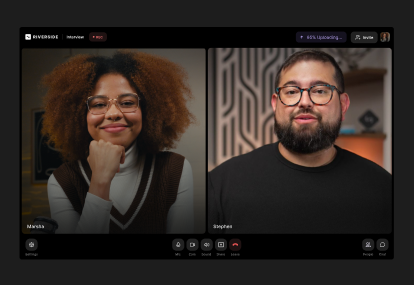
Remote recording software, like Riverside, provides a simple interface that appears like a conference call. The difference is that Riverside uses local recording, which means all files record directly on your device instead of over the internet. At the end of your call, you can download separate uncompressed audio and video tracks for more editing control.
Best of all, you and your guests don’t have to download any software to record. The whole process happens from the comfort of your browser.

Riverside provides up to 4K video recording and up to 48kHz audio, a massive advantage for creating top-quality content.
Recording podcasts or any remote video is seamless with Riverside. The process is as simple as logging into your account, creating a show, and sending the link to your guest to join. You can invite up to 9 guests to join your recording from any mobile or desktop device, and even record with remote and in-person guests at the same time.
For all these benefits and more, start recording with Riverside.


How To record remote podcasts using double-ender software
Step 1: Log into Riverside and click on the “Record” button.
Step 2: From your lobby, set up your equipment and choose whether you’re using headphones or not.
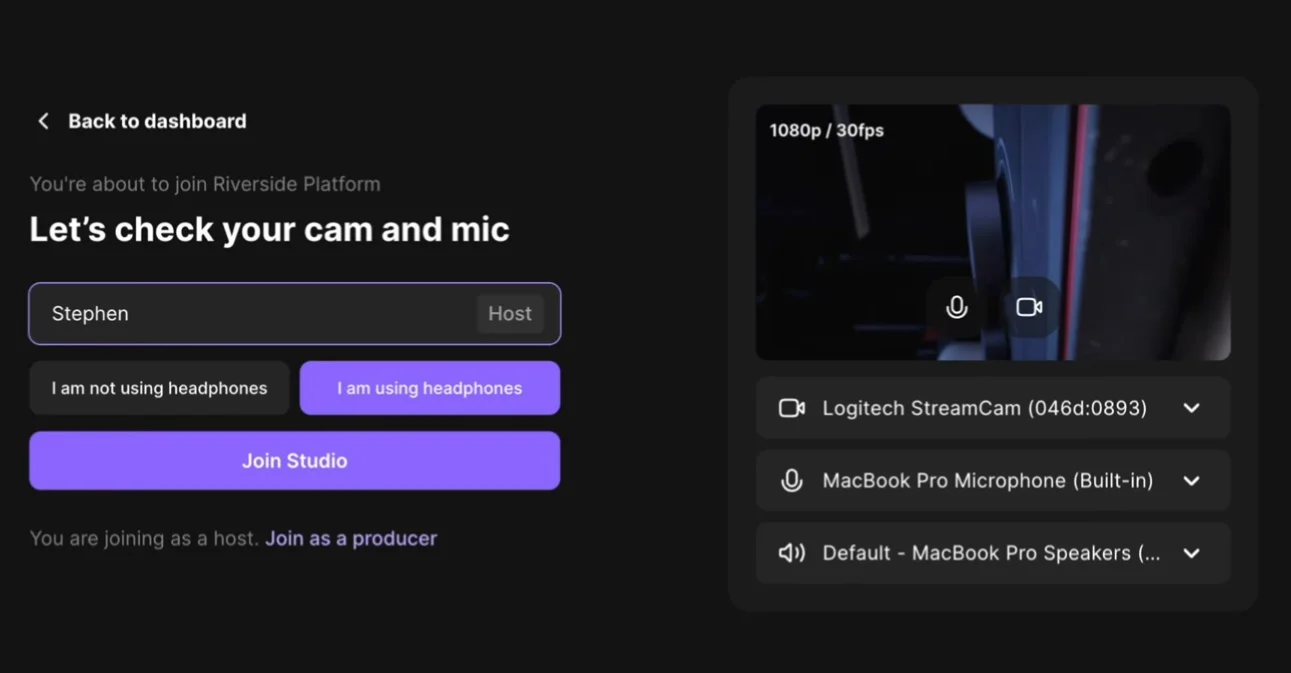
Step 3: Share the link to your show with your guest. All they have to do is click it to join from their browser - no downloads necessary!
Your guest will join and enter the green room to prepare, so give them an overview and remind them to connect to an external mic and webcam if they have one.
Step 4: Hit record and get started!
While you record, both your and the guest’s files are being recorded locally and uploaded to the software in real-time. You’ll have a cloud backup, so you don’t lose all your work if your computer crashes, and you’ll be able to download the files at the end in a matter of minutes.
What are the costs associated with double-ender recording setups?
The cost of a double-ender setup mostly depends on how much you want to spend. At the very least you can use basic gear you likely already own like a laptop, smartphone as a camera, an USB mic under $50, and free recording software.
If you’re looking for a more professional setup for polished results, you can expect to spend $300-1000 for an XLR mic, audio interfaces, headphones, dedicated software, and possibly mixers or portable recorders.
Double-ender recording tips
1. Wear headphones
Since you're creating two separate audio tracks that will be stitched together in post-production, you want each track to have the relevant person’s audio solely. If you don't wear headphones, you risk your recorder picking up your guest's audio. This wouldn't necessarily be a huge deal - you can mostly just cut it out so only their locally recorded audio plays - but it makes editing more tedious, especially if you're having a heated conversation and talking over each other at times.
2. Clear out your storage
If you opt to use hardware for recording double-ended, you’ll want to create as much space as possible on the drive where your content will be saved. This is not only to have enough space for your podcast episode (you wouldn’t want to be cut short due to storage issues) but also to minimize the risk of crashes and increase performance. The more storage is available, the more resources can go towards your podcast recording.
3. Use an external mic
Most double-ender recording software lets you see which video and audio source your guest is using for your call. Be sure to do a quick overview before starting and remind them to connect their external mic, if they haven’t already, for the crispest sound possible.
How to edit double-ender recordings
At the end of your call, you’ll receive separate files for each call participant. You can then import them to your editing software of choice to begin post-production. You’ll have to make sure each track lines up, so consider doing a marker just after you start recording. For example, count to three and have all the participants clap together or say “Hello.” Then, you can align the tracks based on that moment, and it should be smooth sailing from there!
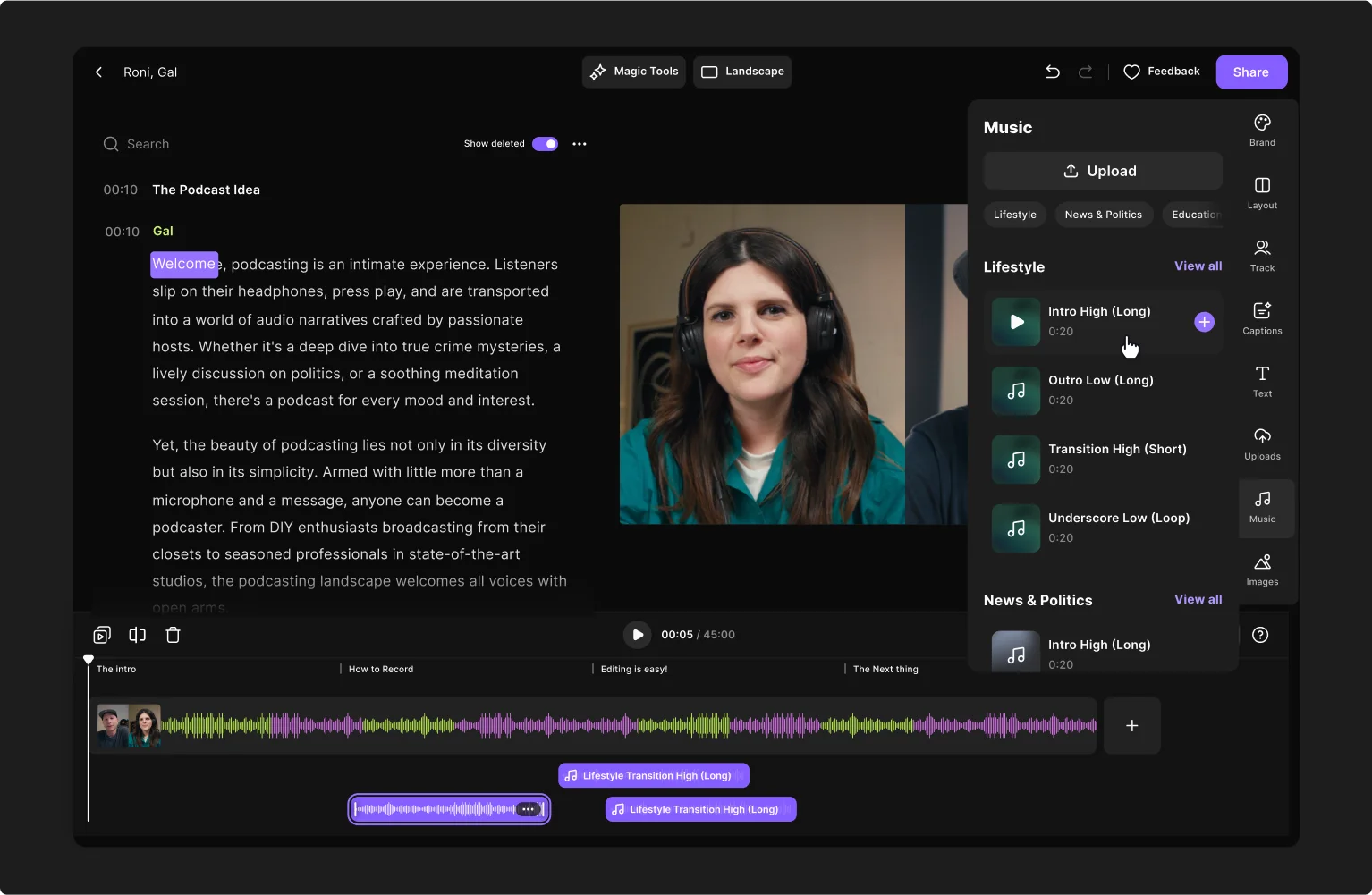
Note that some recording platforms offer editing tools too. With Riverside’s editor,your post-production will take just a few minutes. Chat with Co-Creator, our AI agent, to apply all edits by just prompting. This includes easy track syncing, fixing audio through noise normalization, and applying captions, customized backgrounds, and logos. If you want a more hands-on experience, use the text-based editor to trim and navigate through your recording using accurate automatic transcriptions.
The toss-up: Hardware solutions vs. digital solutions
- Double-ender recording offers high-quality remote recordings for your podcast with a remote guest.
- If you choose to go the hardware route, we recommend compiling a clear and concise set-up guide to send to your guests to get them up to speed before you record.
- However, you can’t be sure that all your guests will have the same equipment or capacity to record locally on their end.
- For this reason, a software solution like Riverside.fm for recording a double-ender remote podcast is probably your best option.
- Most of them require you to set up an account, but neither you nor your guest will have to download anything (which is another advantage over using Skype or Zoom).
- You’ll simply get a personalized link to the virtual room where you are hosting the podcast, and you can share it with your guest to join the show.
- Then, just hit that record button and show the world what you got!
So, is double-ender recording right for you?
That depends. Do you want easy set-up, studio-quality audio, no matter where in the world your guests are calling in from? How about totally uncompressed audio files for the best audience experience? And would you like to have the peace of mind of a real-time cloud backup of your recording?
Yeah, we thought so…
Double-ender recording is definitely one of the best ways to record podcasts remotely.



.webp)
-(1).webp)
.webp)